To set up web-based labeling in Transaction Manager:
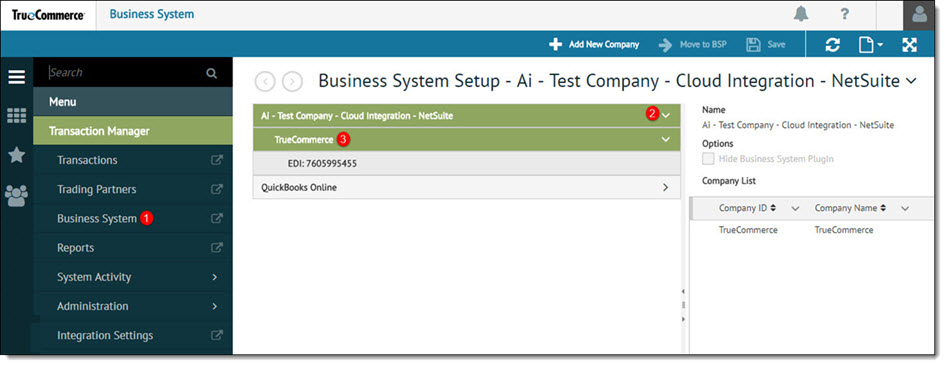
Open the Business System view from the navigation menu.
To display the company list, click the arrow next to the Business System containing the company to be modified.
Select the company to modify from the tree view.
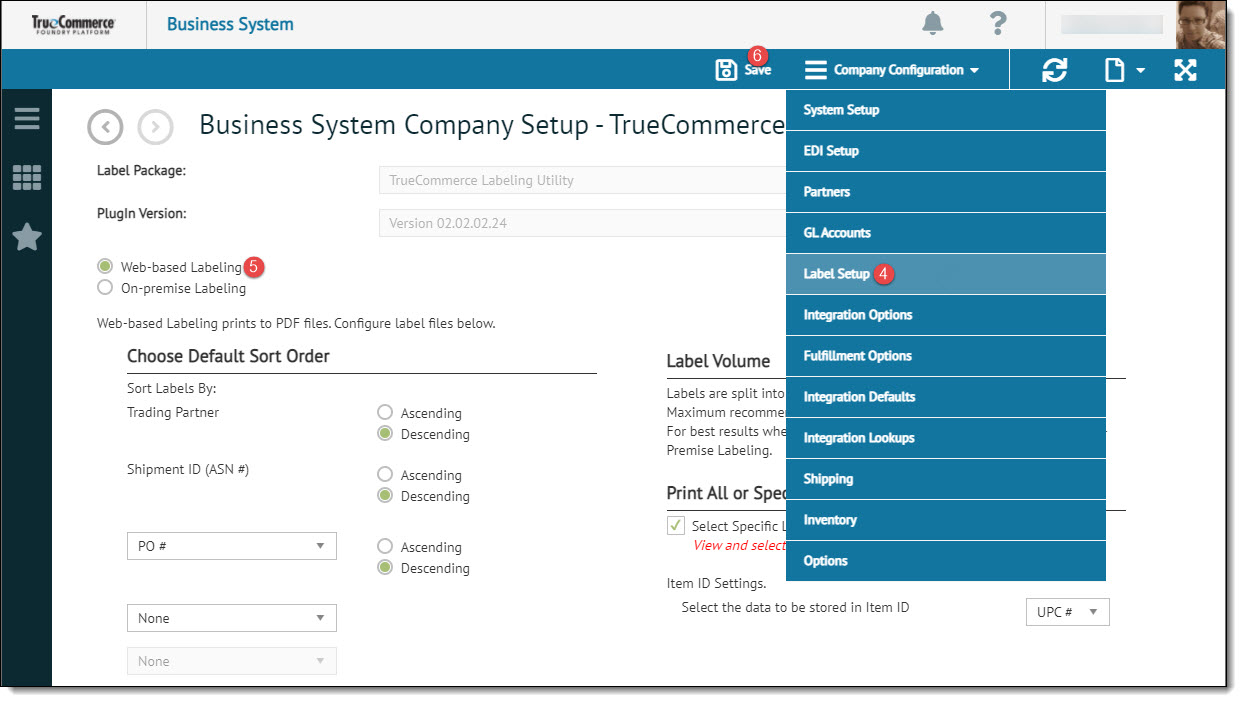
Select Company Configuration | Label Setup from the action bar.
Select the Web-based Labeling radio button.
Update any Web-based Labeling settings and click Save to retain the changes.